
You can add either premiums or miscellaneous charges. A premium is specific to a visit, while a miscellaneous charge is specific to an invoice.
Note: A premium can be billable and payable; a miscellaneous charge can only be billable. With that in mind, a premium cannot have a negative balance (i.e. discount). A miscellaneous charge can support both positive and negative balances, so it's ideal for discounts and additional charges alike.
Adding a premium:
- Edit Details for the Visit that requires a premium
- Click on the “Premiums” tab
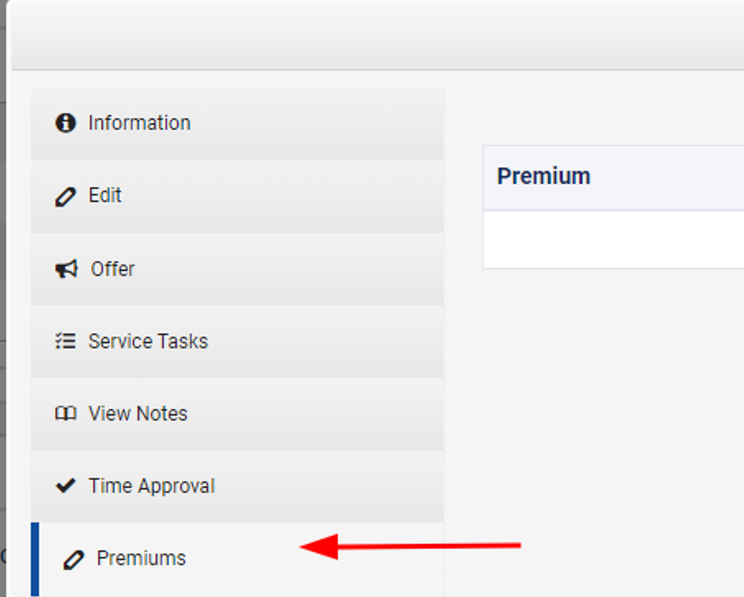
- Click

- Select a Premium, enter the Quantity, and add a Description.

- Click Save
- If you entered the Visit Details from an Invoice, click the
 When the invoice is regenerated, it will include the premium
Adding a miscellaneous charge
This is only available if an Invoice is in a  . You must be viewing the Invoice to see the following options.
- Click

- Enter a Description, Reference Date, Quantity, and Rate
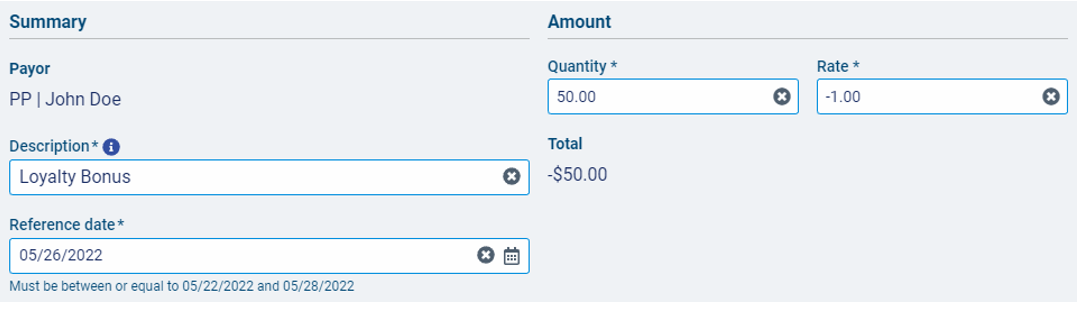
- Confirm the Total matches the expectation
- Click Save
- Caution: Do not Regenerate the invoice, or the miscellaneous charge will fall off and will need to be re-entered.
- You may Edit or Delete the Miscellaneous charge(s) if needed by clicking “Edit” or clicking the down-arrow to select “Delete”
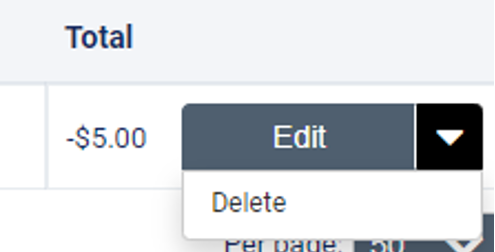
- The charges/discounts will appear at the bottom of the invoice under 'Miscellaneous Items"
Comments
0 comments
Article is closed for comments.