
The bill rate cannot be changed for a specific visit. However, you have two options:
Change a visit Bill Code
- View the details of the Visit that needs to be updated
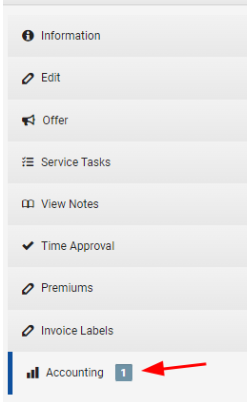
- Go to the Accounting tab
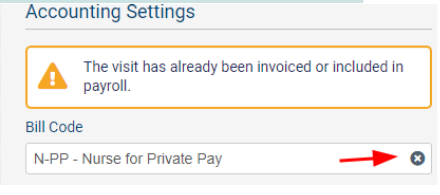
- Clear out the Bill Code by clicking the “x”
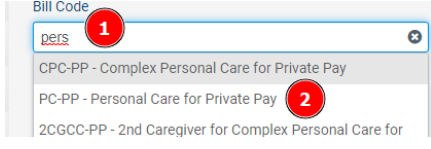
- Then select the Bill Code you want to bill
- Click "Update Visit"
- Click "Regenerate Invoice" if an invoice is in draft mode
Change the Custom Bill Rate for one day
- Go into the Client’s profile
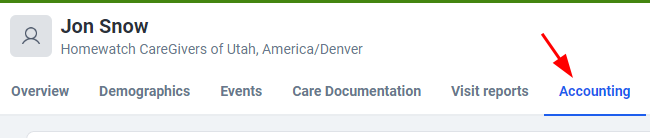
- Go to the Accounting tab
- Click Custom Bill Rates on the left
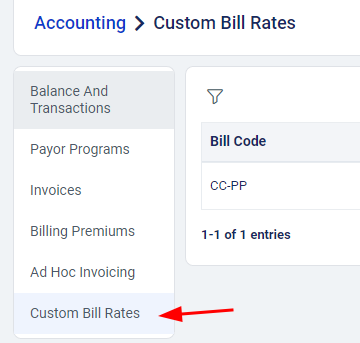
- Click "+ Add Custom Rate"
- Fill out Funder, Bill Code, Effective Date, and Custom Rate
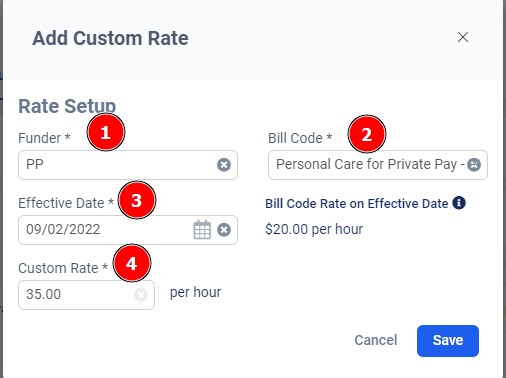
- Click "Save"
- Click "+ Add Custom Bill Rate"
- Add another Effective Date to the following day with the previous rate
- Click "Save"
- Click "Regenerate Invoice" if an invoice is in draft mode
Comments
0 comments
Article is closed for comments.