
Long-term Care Insurance (LTCI) is one mechanism to have a client funded for a service. Before you can set up a client for LTCI, please ensure the HWCG AlayaCare Support team has set up a funder by creating a ticket and selecting "New Funder Request".
Before we begin, let's go over terminology:
- Guarantor - A guarantor is simply someone who acts as a guarantee for those who might not be able to afford to pay their bills. In other words, should the insurance not pay your invoice then the guarantor (usually the client or a family member of the client) is held liable for paying the invoice
- Payor Program - AlayaCare's terminology for determining how an invoice should be billed
- Payor - The name of the responsible program for funding a visit (or shift)
- Limit - The maximum amount insurance will pay for claims on each type of coverage carried
- Deductible - The amount of money on an insurance claim that the client would be held liable for until the coverage kicks in and the insurer pays
From the client's profile
- Click the Accounting tab and go to Payor Programs
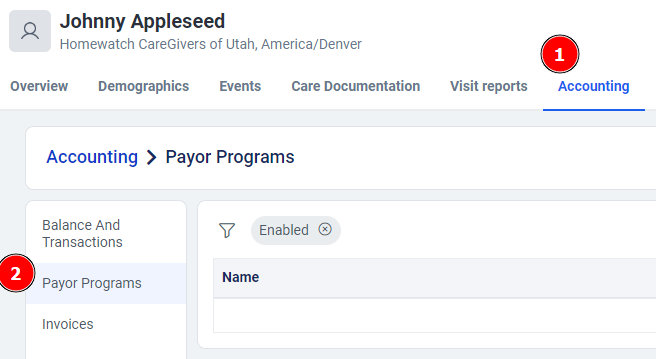
- Click "+ Add Program" on the right
- Choose any name that you feel fit, and select "Long term care insurance" as the type
- Remember, the guarantor is responsible for who will pay when the insurance company is unable to. In this example, we'll use Private Pay and the client as the Billing Contact. If there is a secondary insurance provider, you may use that as well.
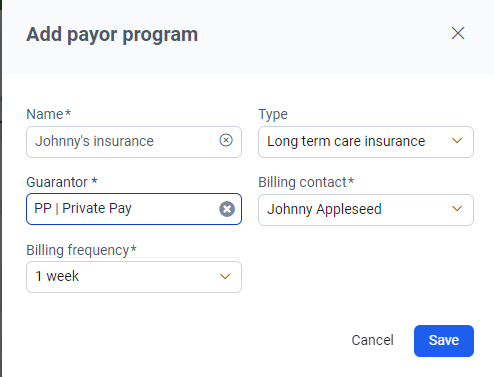
- Click Save when complete
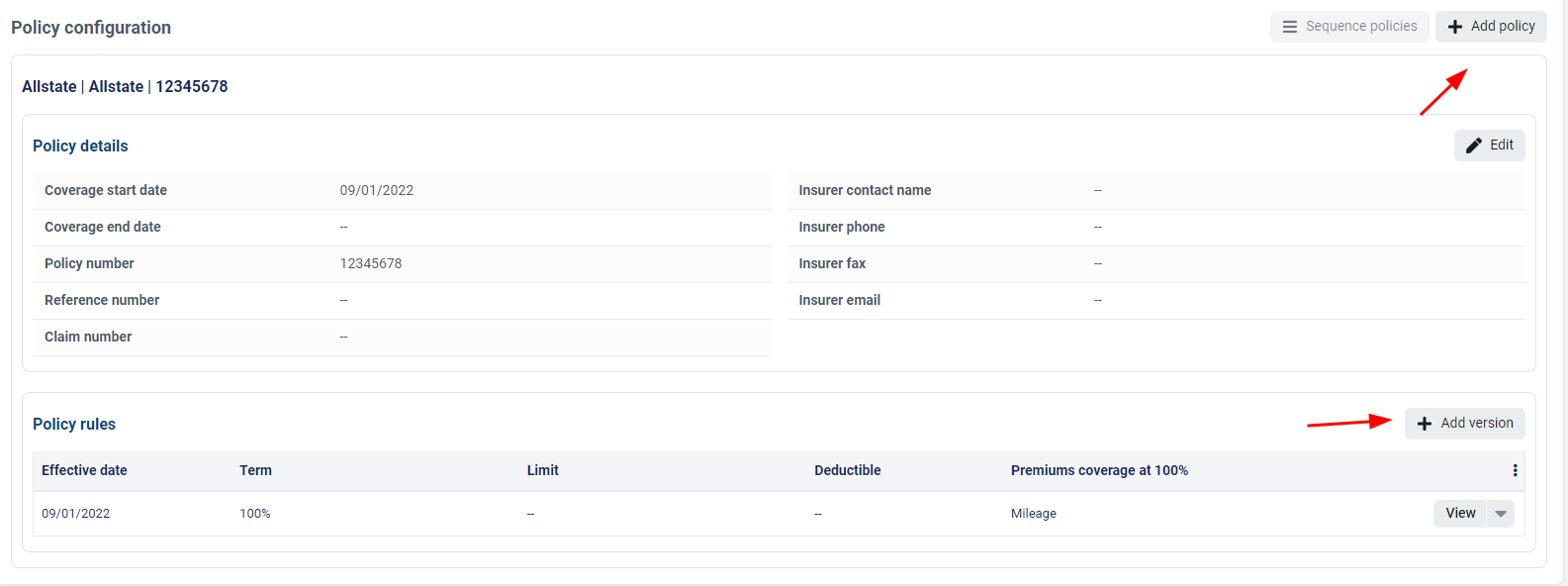
- Click "+ Add Policy"

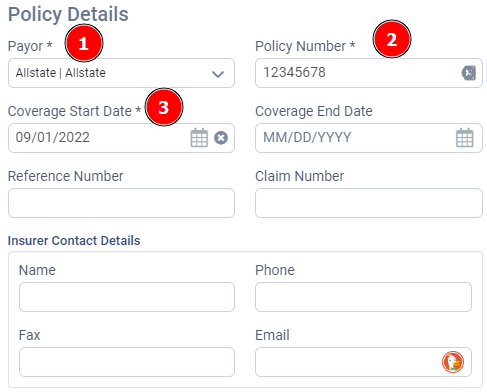
- Start by filling in the Payor as the insurance company (note: if you do not see this, please request a new funder), their Policy Number, and the Coverage Start Date. These are the only required fields for policy details, but if you have other details, please add them.
- Under Policy Rules, only the Type (Percentage or Dollar Amount) and the Percentage/Amount are required.
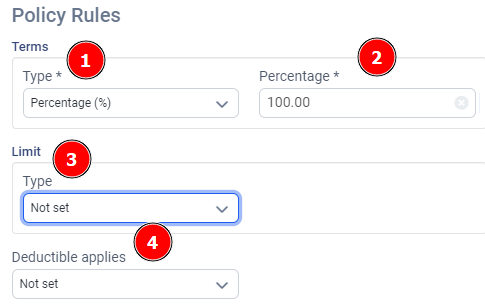
- If the policy has a Limit (i.e. dollar amount, hours of care, etc.) then add those details as well
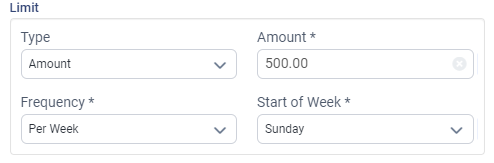
- If applicable, add Deductible information

- If the insurance company is responsible for Premiums, like Mileage, then please add those by typing in the name of the premium and selecting it. Some insurance companies may not pay for premiums like Mileage. In those situations, any premiums will be billed to the Guarantor.

- Click Save when you've completed filling out the information
- You can also "Add Policy" or change the "Policy Rules" at any time.
- Now go to the client's Services tab and click "+ Create a Service"

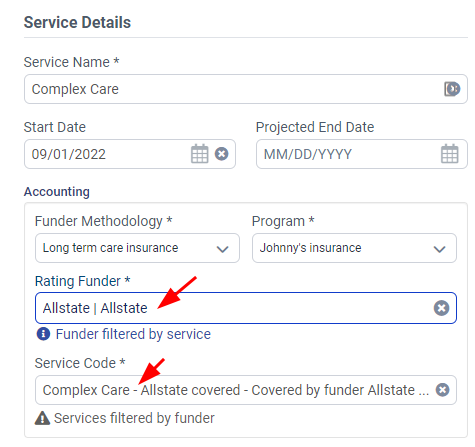
- Fill out the Service Name and Start Date. Then select "Funder Methodology" as "Long term care insurance", and select the Program name from Step 4.

- Finally, choose the "Rating Funder" as the insurance company and the Service Code.
- Click Save
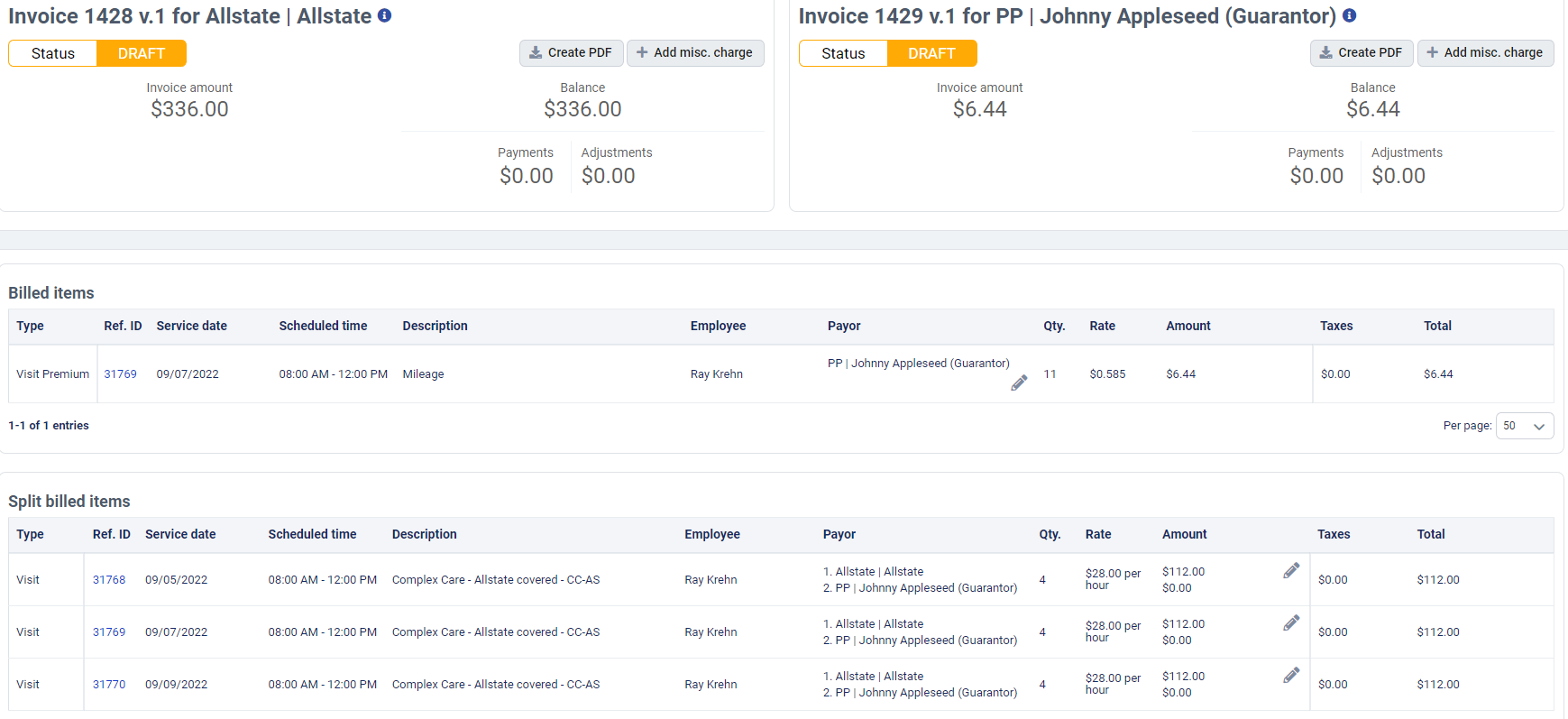
When you create an invoice for this client after visits are performed and approved, you'll have one invoice generated for the insurance company and, if applicable, a second invoice for the guarantor.

If you click "View Invoice" on either of them, you'll see them tied together as part of a "Master Invoice". Each invoice will act independently (how do I create PDFs?) and can be billed to their respective payor.
Comments
0 comments
Please sign in to leave a comment.